Slack Code alternatives: 8 options compared
Helio Team
The best Slack Code alternative depends on why you are leaving. 8 options compared on price, reach and the job each does best, plus where Slack Code still wins.
How we compared these
We used five questions that actually separate these products, not a generic feature checklist.
Does it supply the agent, or just a place for one? Where does the work become visible: a chat channel, a pull request, an editor, or a workspace? Does anything persist after the task ships? Who maintains the wiring, you or the vendor? And can you find the price without a sales call?
Pricing comes from each vendor's own pages as of August 2026. Where a vendor bills on consumption rather than a seat, we say so instead of quoting a headline number. Helio is our own product, which we note plainly rather than hide.
Slack Code alternatives at a glance
A quick read on each, by the job it does best and what it costs.
| Tool | Best for | Pricing |
|---|---|---|
| Helio | Recurring work that needs a long-term owner, code and everything else | Free tier, then from $16/mo |
| Claude Code | The agent itself, usable from terminal, IDE, web and Slack | No standalone price; bundled into Claude Pro $20/mo, Max $100 or $200/mo |
| Devin | Fully autonomous work in its own cloud sandbox | Free tier, Pro from $20/mo, Teams $80/mo plus $40/seat |
| GitHub Copilot | Keeping review where your repo already is | Free tier, Pro $10/mo, Business $19/user/mo |
| Cursor | Depth inside the editor, not the chat window | Free tier, from $20/mo; Teams $40/user/mo |
| Vercel Agent | Review that understands the deployment | On demand: provider tokens at cost plus $0.25 per million tokens |
| CodeRabbit | Dedicated AI review on every pull request | Free tier; Pro $24/developer/mo billed annually |
| Your existing PR workflow | Teams who do not want another surface at all | Already paid for |
First, be precise about what Slack Code is
This matters more here than in most roundups, because the name misleads in two directions at once.
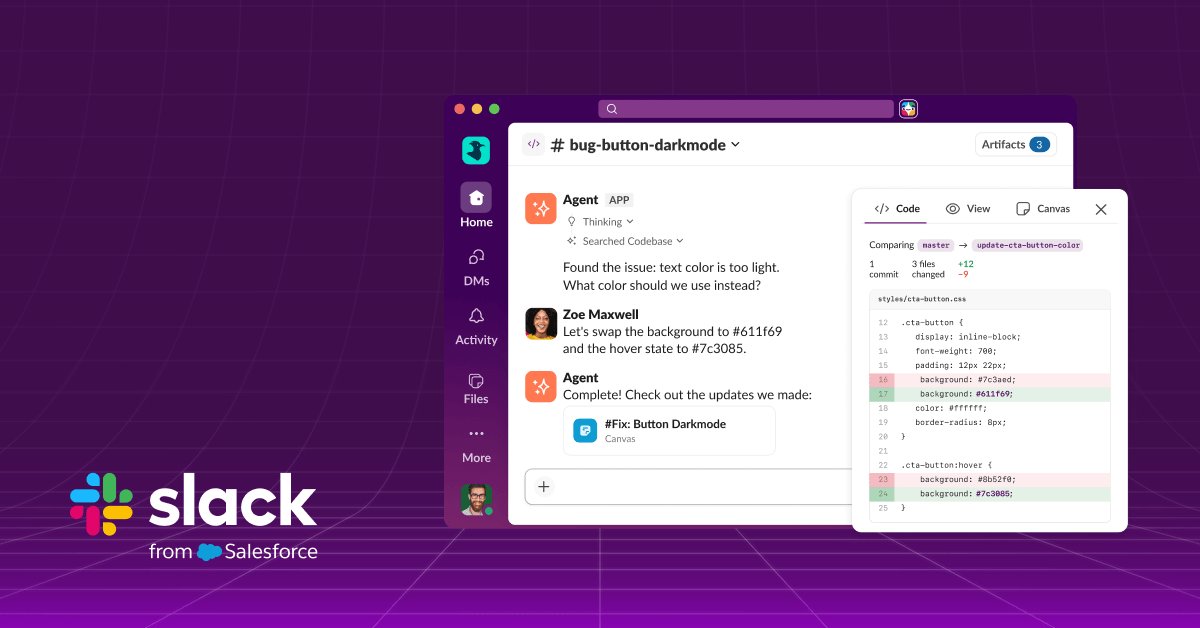
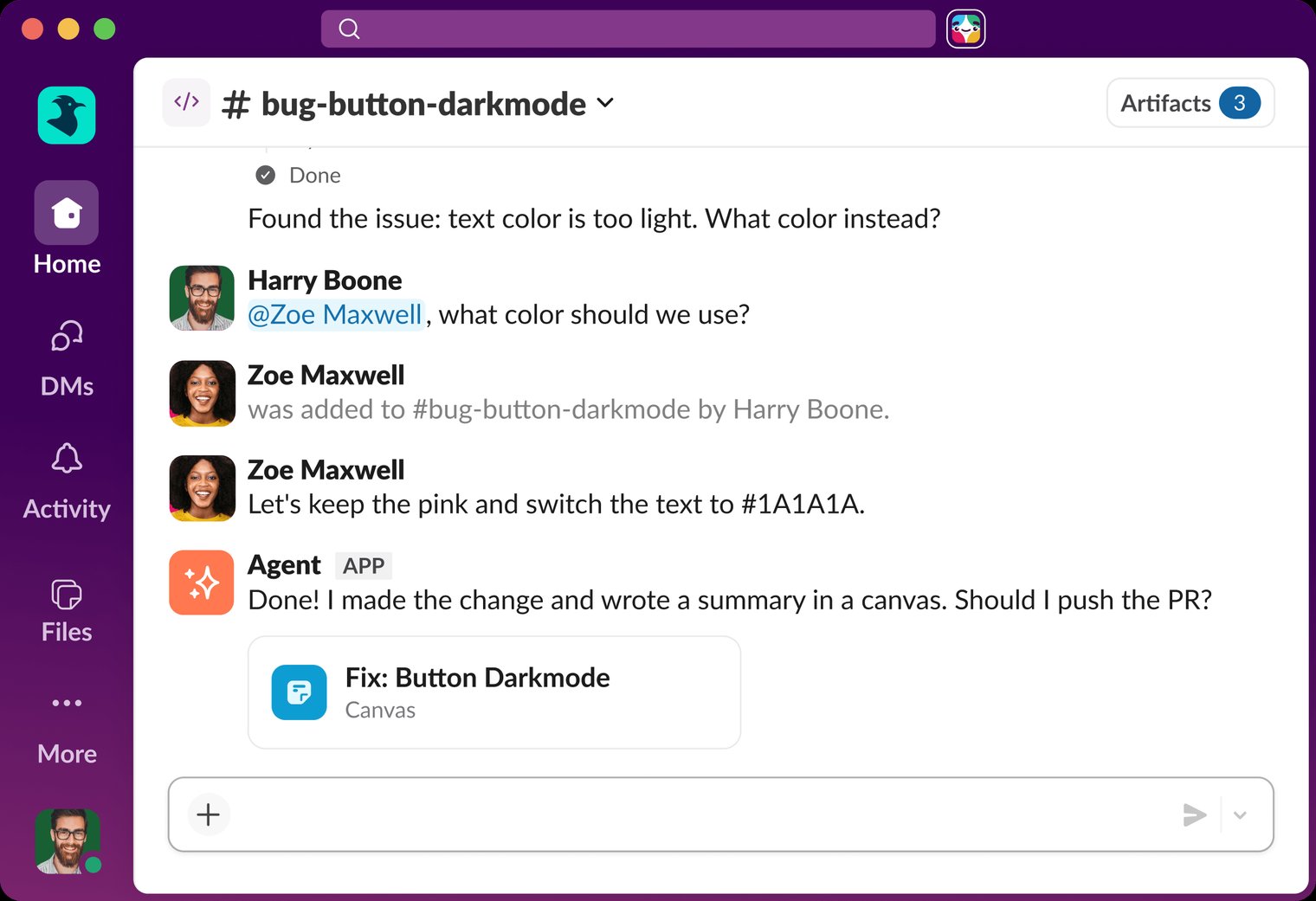
Slack Code is a place. Slack ships no model with it. You tag a coding agent you already pay for, Slack opens a project-specific code channel, and the plan, diffs and live preview render in tabs inside that channel. When the task ends the channel archives itself into a searchable record. We walked through the mechanics in What is Slack Code.
It is also not Claude Code, which is one of the agents that runs inside it. One word apart, two different layers. If what you actually want is a different coding agent, items 2 to 5 below are your list. If what you want is a different place for the work to be visible, items 6 to 8 are.
What Slack Code gets right
Credit where it is earned, because the design is genuinely good.
It meets teams where they already are: no new tool to adopt, no migration, and the channels are free on any Slack plan. It is agent-neutral, so it does not force a bet on which coding model wins. It inherits Slack's existing permissions and admin controls, so an agent acts with the invoking user's access rather than a bot-level god mode, and IT has nothing new to audit.
And putting the diff in a channel instead of a private terminal does what Slack claims. A second person can be pulled in mid-task, make a call the agent could not make, and change the outcome before it ships. When generation gets cheap, that review capacity is the binding constraint — Cognition reported a 10x increase in merged pull requests against 40 percent headcount growth.
If your team lives in Slack, already pays for a coding agent, and the only broken thing is that nobody sees the work until the PR lands, Slack Code fixes exactly that and you may not need this list.
Why teams look elsewhere anyway
Seven reasons come up, and none of them are that the agents are not smart enough.
- It is Slack-only. If your team is on Microsoft Teams or Discord, there is nothing here for you.
- Almost every agent it hosts already had its own Slack integration, so the upgrade you are buying is the code channel, not access to the agent from Slack.
- It supplies no agent, so the real bill is whatever you bring — and that cost scales per developer, on top of Slack.
- It is scoped to software development. The diff and preview tabs are the product; there is no equivalent surface for inbox triage, research or reporting.
- Review moves into chat, which some teams consider a step sideways from the pull request where their history, checks and approvals already live.
- Agent neutrality means four vendors, four billing relationships and four memory models, with no shared understanding of your codebase between them.
- The channel archives when the task ends. That is by design, but it means nothing carries into next week except a transcript.
Which of these actually work inside Slack?
Worth answering directly, because the name invites the assumption that Slack Code is what finally brings coding agents into Slack. It is not. Almost every agent on this list already had a Slack door before Slack Code shipped, and you reach each one the same way you would reach a colleague.
| Tool | How you reach it in Slack | Since |
|---|---|---|
| Helio | Each teammate gets its own Slack app; mention it by name | Shipping |
| Claude Code | Mention @Claude; a coding request routes to a Claude Code session | Shipping |
| Devin | Mention @Devin in any channel — works on any Slack plan, free included | Shipping |
| Cursor | Mention @Cursor to launch a background agent that opens a PR | Shipping |
| GitHub Copilot | Mention @GitHub to plan, investigate and hand off coding tasks | Public preview, 21 Aug 2026 |
| CodeRabbit | Mention @coderabbit in any channel or DM | April 2026 |
| Vercel Agent | Through a Slack code channel; no separate Slack app published | Via Slack Code |
So what is Slack Code actually selling?
Given the table above, not access. The agents were already reachable from a thread.
What Slack Code adds is the room: a channel scoped to one task, carrying a plan tab, a diff tab and a live preview, that anyone in the channel can interrupt mid-flight, and that archives itself into a searchable record when the work ships. Mentioning @Cursor in a thread gets you an agent and a pull request; opening a code channel gets you the work itself rendered where a team can argue about it before it merges.
That is a real difference and worth the upgrade for some teams. It is a smaller difference than the launch coverage implied, and it is worth knowing before you migrate anything — the timing makes the point: GitHub shipped its own new Slack experience for Copilot on 21 August 2026, the same day as Slack Code.
The question these lists skip: what happens after the channel archives?
Every Slack Code alternatives roundup compares the same handful of things — which agents, what price, which permissions model. All of them quietly accept the same product shape. A task starts. Work happens where people can see it. The task ships. The room closes.
That shape is right for a lot of engineering work. Fix this bug. Ship this component. Update this dependency.
It is wrong for the work that actually repeats: the weekly status report, the Monday triage of what broke over the weekend, the dependency upgrades nobody schedules, the customer feedback that never becomes a ticket. That work does not need a better one-off executor with a bigger audience. It needs someone who is still holding it on Monday.
| A code channel | An owner | |
|---|---|---|
| Who remembers it is Monday? | You | It does |
| Who notices the same bug came back? | You | It does |
| Who decides what is worth doing this week? | You | It does |
| Who re-explains the context each time? | You, every task | Nobody, it kept it |
| What is left when the task ships? | An archived transcript | A teammate still on the job |
1. Helio
Helio is a workspace where AI teammates own the recurring work that needs context, judgment and delivery. You do not open a channel per task. You give a teammate a job, the way you would give it to a new hire, and it keeps doing that job.
Each teammate has a profile: a name, a role, a model, and a lane it is accountable for. Memory holds your standards and past calls across sessions rather than per channel, so it does not start from zero every task. Automations run on their own schedule and nobody re-prompts them. Output lands as task updates on the board your team already tracks, and as artifacts you reopen by link.
Held against Slack Code directly: Slack Code makes one task visible to everyone in the room and then closes the room. Helio assigns a teammate to a standing job — watch the sources, make the call, do the work, deliver it every week. The difference shows on the second run. With a task runner, week two is week one again. With an owner, week two already accounts for what changed.
Two things people assume we do not do, and both matter here. Helio works in Slack: a teammate gets its own dedicated Slack app, posts into your channels, and answers when mentioned, so this is not a trade of the room your team already uses. And the model is yours — each teammate carries its own, and you can bring your own Anthropic, OpenAI or DeepSeek keys, where a code channel locks you to whichever agent you tagged.
We also cover the coding case rather than only the surrounding work: a teammate can take a real terminal and filesystem against your repository and come back with a reviewable diff. But that is one lane among several, which is the actual difference in scope.
- Best for: recurring work that needs a long-term owner, where code is one lane and not the whole job.
- Key features: per-teammate memory and identity, scheduled automations, skills, shared channels with people, artifacts and task boards, bring your own Anthropic, OpenAI or DeepSeek keys.
- Limits: no Microsoft Teams, and the platform is not self-hostable. If you want a coding agent that lives purely in your terminal, Claude Code is the more direct answer.
- Pricing: free to start with 1,000 credits, no card required. Pro from $16/mo billed annually, Max from $80/mo. See full pricing.
2. Claude Code
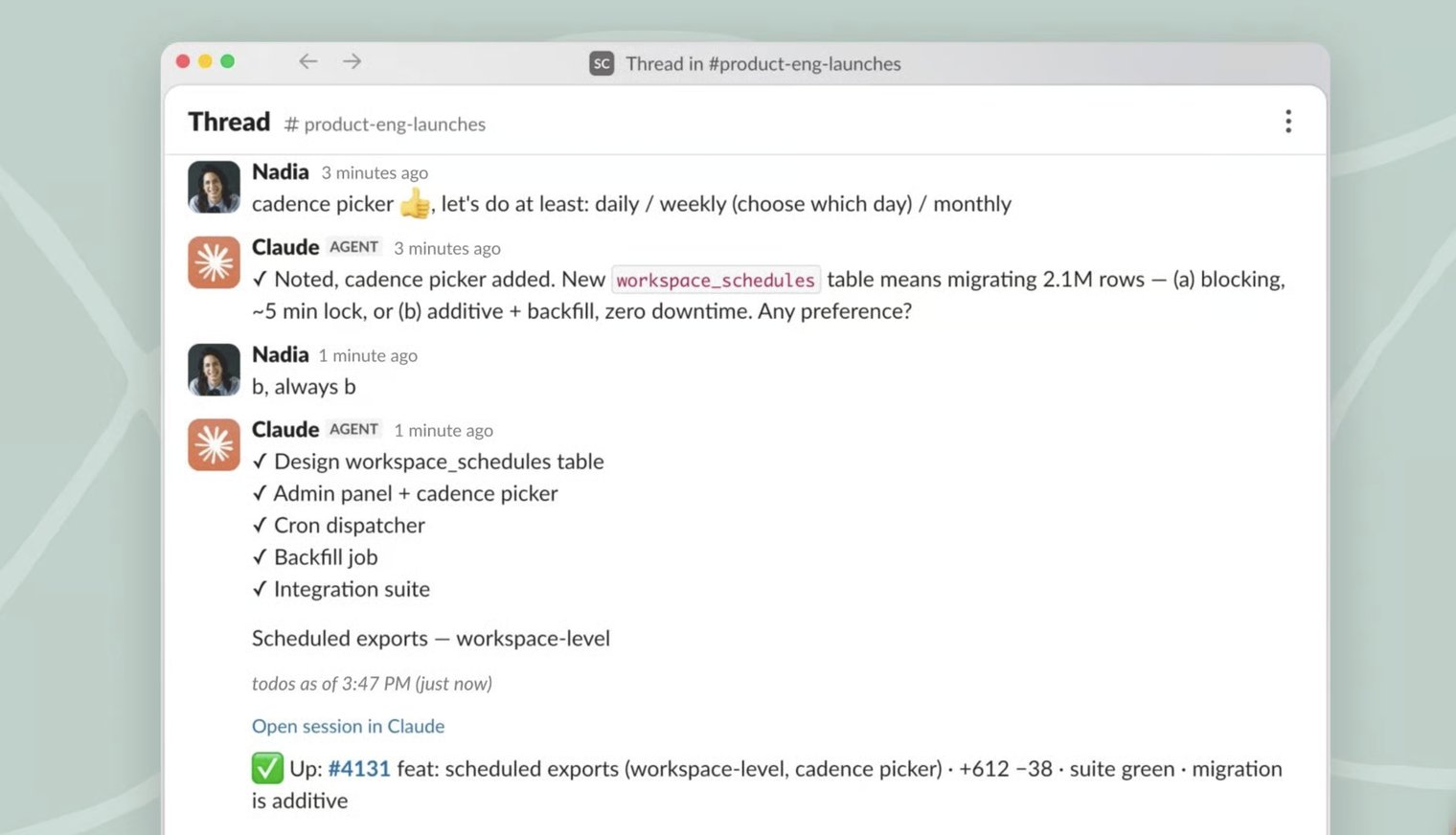
If what you liked about Slack Code was the agent rather than the room, Claude Code is the thing itself. It is Anthropic's coding agent, and it already runs in the terminal, in your IDE, on the web, and in Slack — meaning a fair amount of what Slack Code offers, you may already have.
The honest framing: Slack Code gives Claude Code a nicer room with more chairs in it. If you are a small team where one person drives the agent and review happens in GitHub anyway, the room may not be what you were missing.
- Best for: teams that want the agent itself, usable from wherever they already work.
- Limits: no built-in multiplayer channel of its own, and it is Anthropic-only, so there is no routing a cheap high-volume task elsewhere.
- Pricing: no standalone price. Bundled into Claude Pro at $20/mo and Max at $100 or $200/mo; on Team plans it requires Premium seats at $100/seat/mo.
3. Devin
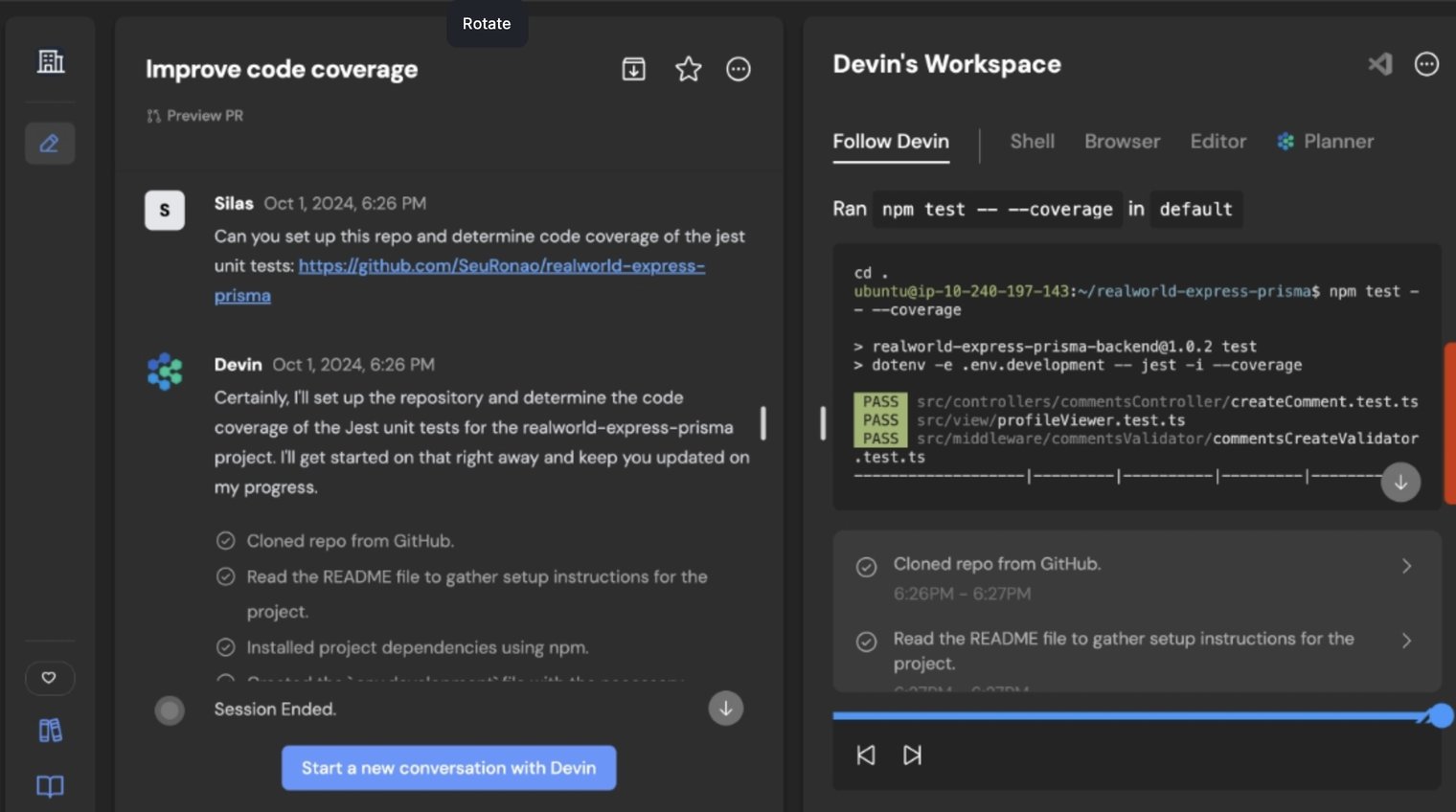
Devin is Cognition's autonomous engineer, and it is a Slack Code launch partner as well as a standalone product with its own Slack integration. You assign work conversationally and it executes in its own cloud sandbox with shell, browser and editor access.
It is the most autonomous option here. That is the appeal and the caution: more of the work happens somewhere you are not watching, which is precisely the problem Slack Code was built to address. Cognition's own 10x merged-PR figure is the best public evidence that the model works at volume.
- Best for: handing off a well-specified task and getting a pull request back without supervising the middle.
- Limits: billed on consumption rather than seats, so cost tracks how much autonomous work you actually run.
- Pricing: free tier, Pro from $20/mo, Teams $80/mo plus $40/seat, Max $200/mo. Usage is metered in ACUs, roughly 15 minutes of active work each.
4. GitHub Copilot
GitHub Copilot answers the same visibility problem from the opposite end. Instead of moving review into chat, it puts the agent inside the workflow where review already happens: branches, pull requests, checks, approvals, and a permanent record attached to the code rather than to a channel.
For a lot of teams this is the more conservative and more durable answer. The archive of a Slack code channel is searchable; a pull request is where your team already looks a year later.
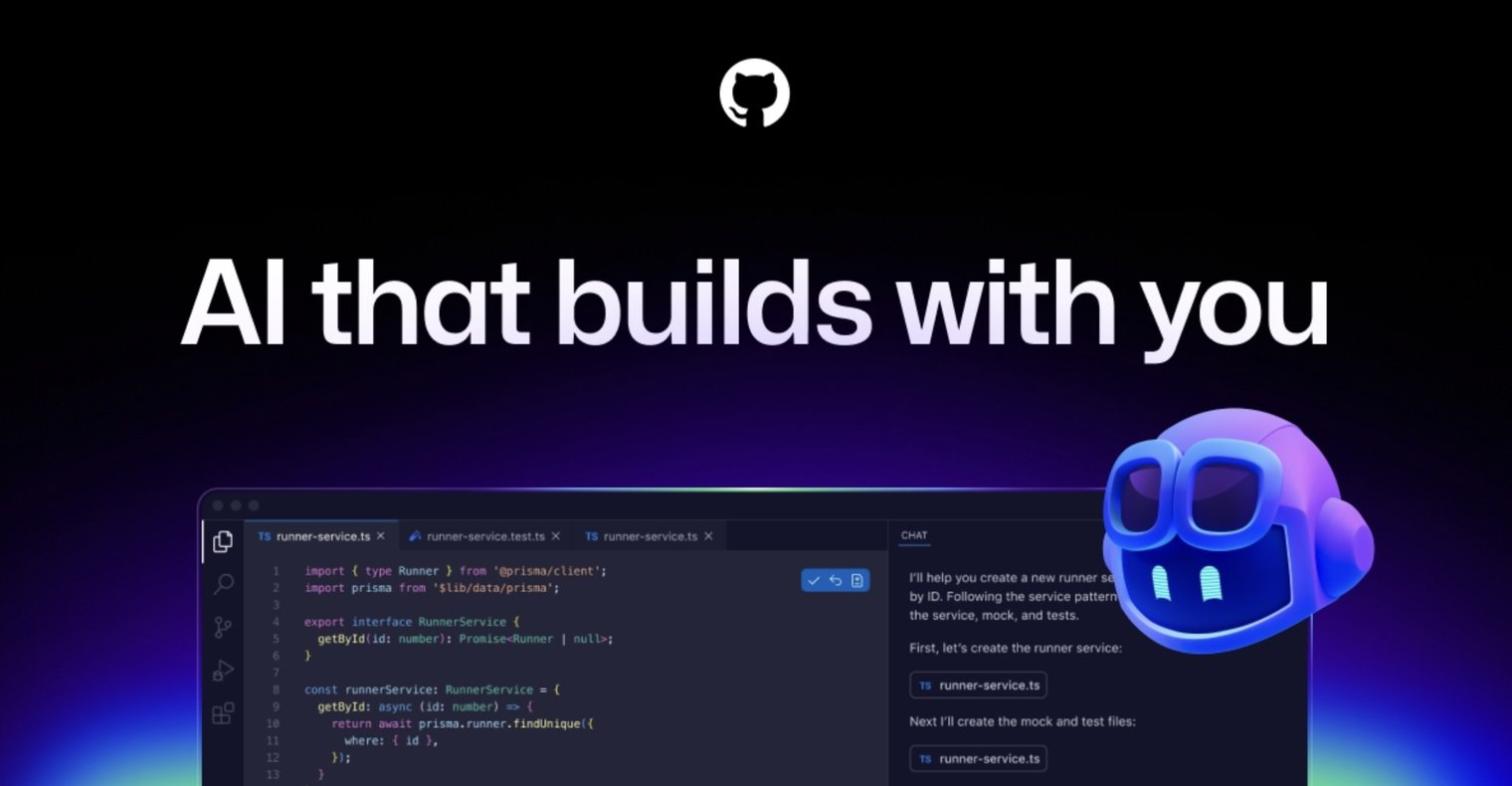
- Best for: keeping agent work inside the repository's existing review and audit trail.
- Limits: the collaboration is PR-shaped, so you do not get the mid-task interruption that code channels are built around.
- Pricing: free tier, Pro $10/mo, Pro+ $39/mo, Business $19/user/mo, Enterprise $39/user/mo. All plans moved to AI Credits billing in June 2026.
5. Cursor
Cursor is the answer if the thing you actually want is depth in the editor rather than an audience. It is an IDE built around agentic editing, with the full repository as context and the tightest loop between a suggestion and a change.
It is not editor-only, which is worth correcting if you assumed otherwise. Cursor has its own Slack app: mention @Cursor and it launches a background agent on an isolated VM, reads the thread for context, and opens a pull request without anyone leaving the conversation. It can also watch a thread or run on a schedule.
What you do not get is the code channel itself — the plan, diff and preview tabs, and the archive at the end. You get an agent in your thread and a PR at the other side of it.

- Best for: engineers who want the strongest in-editor loop, with a Slack entry point for the times they are not in the editor.
- Limits: no diff or preview surface inside Slack; the review happens in the PR or back in the editor.
- Pricing: free Hobby tier, individual plans at $20, $60 and $200/mo; Teams $40/user/mo.
6. Vercel Agent
Vercel Agent is also a Slack Code launch partner, but its own strongest surface is pull request review that understands the deployment — it sees the preview, the build and the runtime, not just the diff.
If your review problem is really a deployment problem, reviewing in a chat channel is the wrong place to solve it.
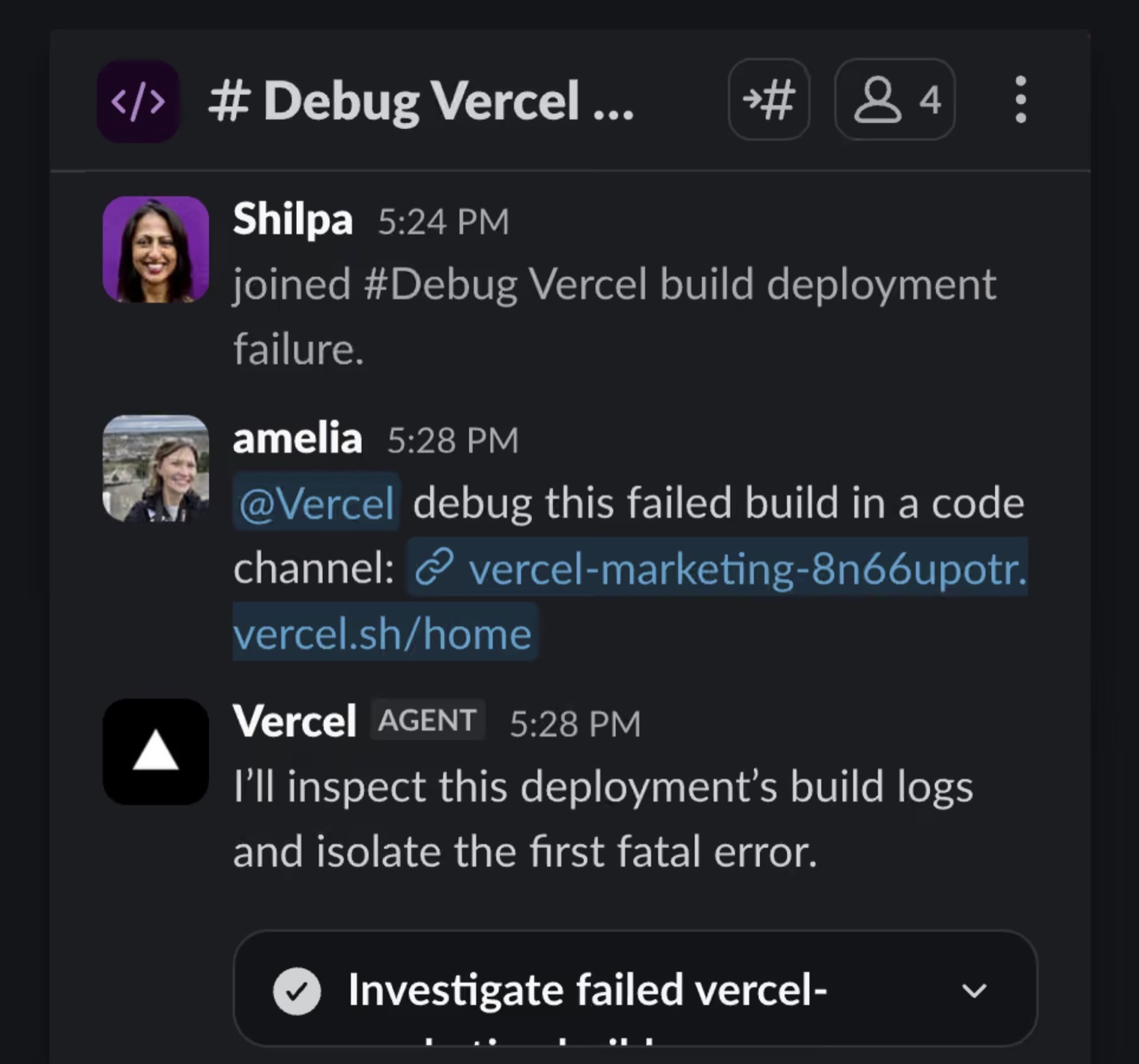
- Best for: teams on Vercel who want review tied to what actually deployed.
- Limits: scoped to the Vercel ecosystem, so it is a poor fit as a general coding agent.
- Pricing: on demand. Provider tokens at the underlying rate with no markup, plus a Vercel token rate of $0.25 per million tokens — no flat per-review fee.
7. CodeRabbit
CodeRabbit does one job: AI review on every pull request, with line-level comments, autofix suggestions and 40+ linters wired in.
It is not an alternative to the agent that writes the code. It is an alternative to the idea that a human has to be the first reader of everything an agent produces — which, if Cognition's 10x number is anywhere near typical, is the constraint that actually bites.
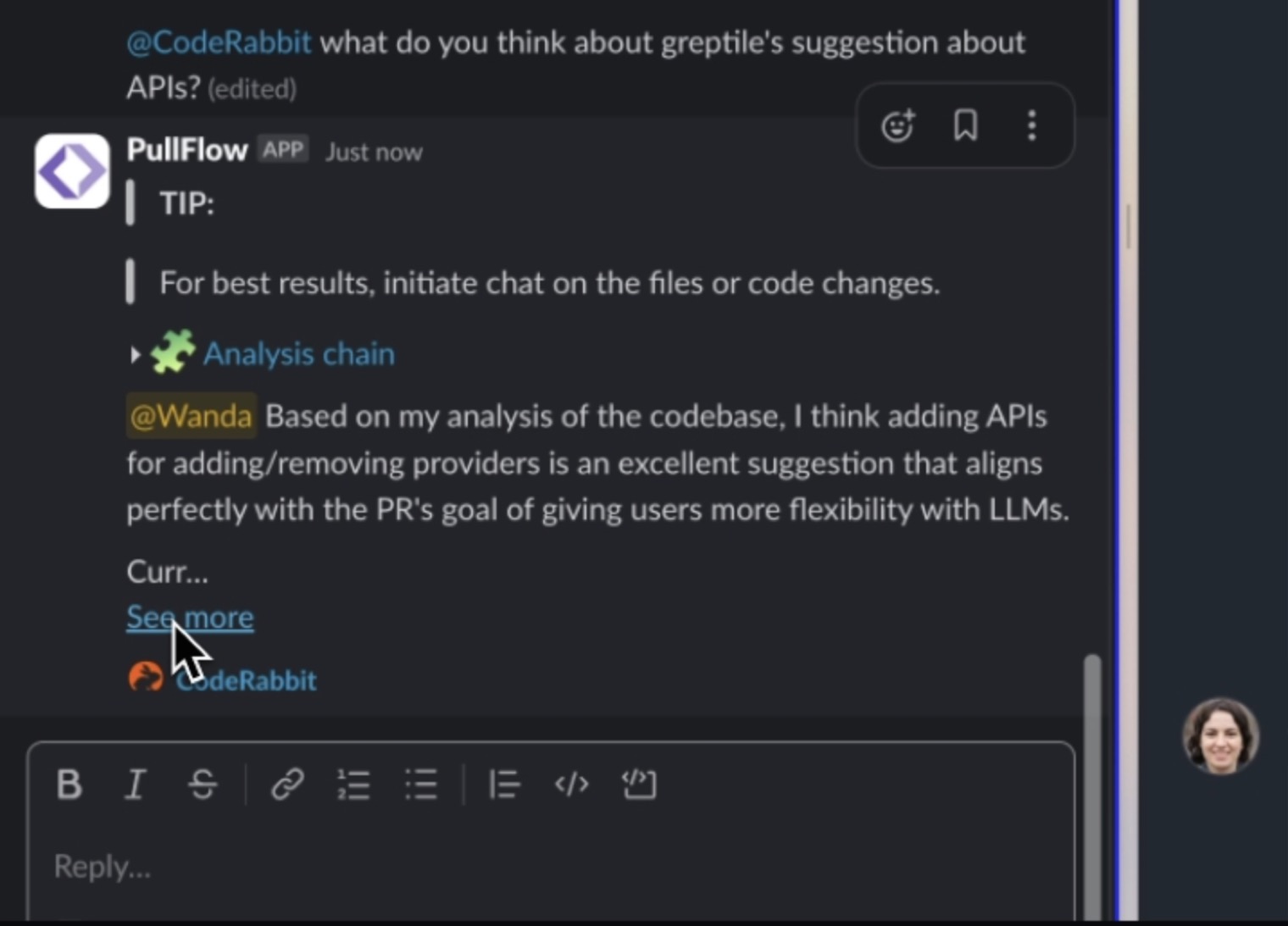
- Best for: catching what an AI-written PR got wrong, before a person spends attention on it.
- Limits: it reviews, it does not build. You still need an agent upstream.
- Pricing: free tier for open source and limited private use; Pro $24/developer/mo billed annually, or $30 month-to-month; Pro+ $48/developer/mo annually.
8. Your existing pull request workflow
Worth stating plainly, because it is the option every roundup skips and a fair number of teams should take.
If your agents already open pull requests, your team already reviews them, and the complaint is only that the intermediate reasoning is invisible, you can get most of the benefit by asking agents to write their plan into the PR description and pushing intermediate commits. No new surface, no new vendor, no new permissions model.
Slack Code is a better experience than this. It is not so much better that it justifies the migration for every team.
- Best for: teams who do not want another place to check.
- Limits: no live intervention mid-task, and no shared preview.
- Pricing: already paid for.
How to choose
Pick the row that matches why you are leaving, not the one with the longest feature list.
- You want the agent, not the room: Claude Code, or Devin if you want it fully autonomous.
- You want review to stay in the repository: GitHub Copilot, CodeRabbit, or your existing PR workflow.
- You want depth in the editor: Cursor.
- You are not on Slack: Slack Code is unavailable to you entirely, and so is every Slack entry point above — you are choosing between the agents on their own terms.
- The work that repeats is not only code: Helio, and we would say that — but the test is simple. Ask what is still holding the job on Monday after the channel archives.
A note on the sourcing
Slack Code's capabilities and availability come from Slack's own launch material of 21 August 2026 and coverage of it. Pricing for every product listed comes from each vendor's own pricing page as of August 2026, and where billing is consumption-based we describe the mechanism rather than quoting a monthly figure that would not survive contact with real usage.
Helio is our product. We put ourselves first in the list because that is the honest position for a page on our own site, not because we think it wins every row — items 2 through 8 each win the row they are placed in.
Frequently asked questions
What is the best Slack Code alternative?
It depends on why you are leaving. For the agent itself, Claude Code or Devin. For review inside the repository, GitHub Copilot or CodeRabbit. For editor depth, Cursor. For recurring work that needs a standing owner beyond code, Helio. Slack Code itself remains the lowest-friction option if your team is already in Slack and already pays for a coding agent.
Is there a free alternative to Slack Code?
Yes, several. Slack Code's own channels are free on any Slack plan, and GitHub Copilot, Devin and Cursor all have free tiers. Helio starts free with 1,000 credits and no card. The cost in every case is the coding agent you run, not the surface you run it in.
Do I need Slack to use Slack Code?
Yes. Slack Code is Slack-only, so teams on Microsoft Teams or Discord cannot use it at all. That alone rules it out for a significant share of teams and is one of the most common reasons people look for an alternative.
Is Slack Code the same as Claude Code?
No. Slack Code is a channel with no model of its own; Claude Code is Anthropic's coding agent and is one of the agents that can run inside a Slack code channel. If you are trying to replace the agent, Claude Code is on this list. If you are trying to replace the room, Slack Code is what you are replacing.
What does Slack Code not do?
It supplies no AI of its own, it is scoped to software development rather than general work, and its channels archive when a task ends. What persists afterwards is a searchable record rather than an owner who still holds the job the following week.