Grok Bot alternatives: 7 options compared
Helio Team
The best Grok Bot alternative depends on whether you need a computer, a channel, or an owner. Seven options compared, including where Grok Bot still wins.
What Grok Bot actually is
Worth being precise, because the name suggests a chatbot and it is not one.
Grok Bot is xAI's named-agent product. You create Bots, each with a short name, one primary job, and a note on how it should work. A Bot keeps memory, files, browser sessions and preferences across turns, so context compounds instead of resetting. Bots can message each other, pass ownership, and run in parallel.
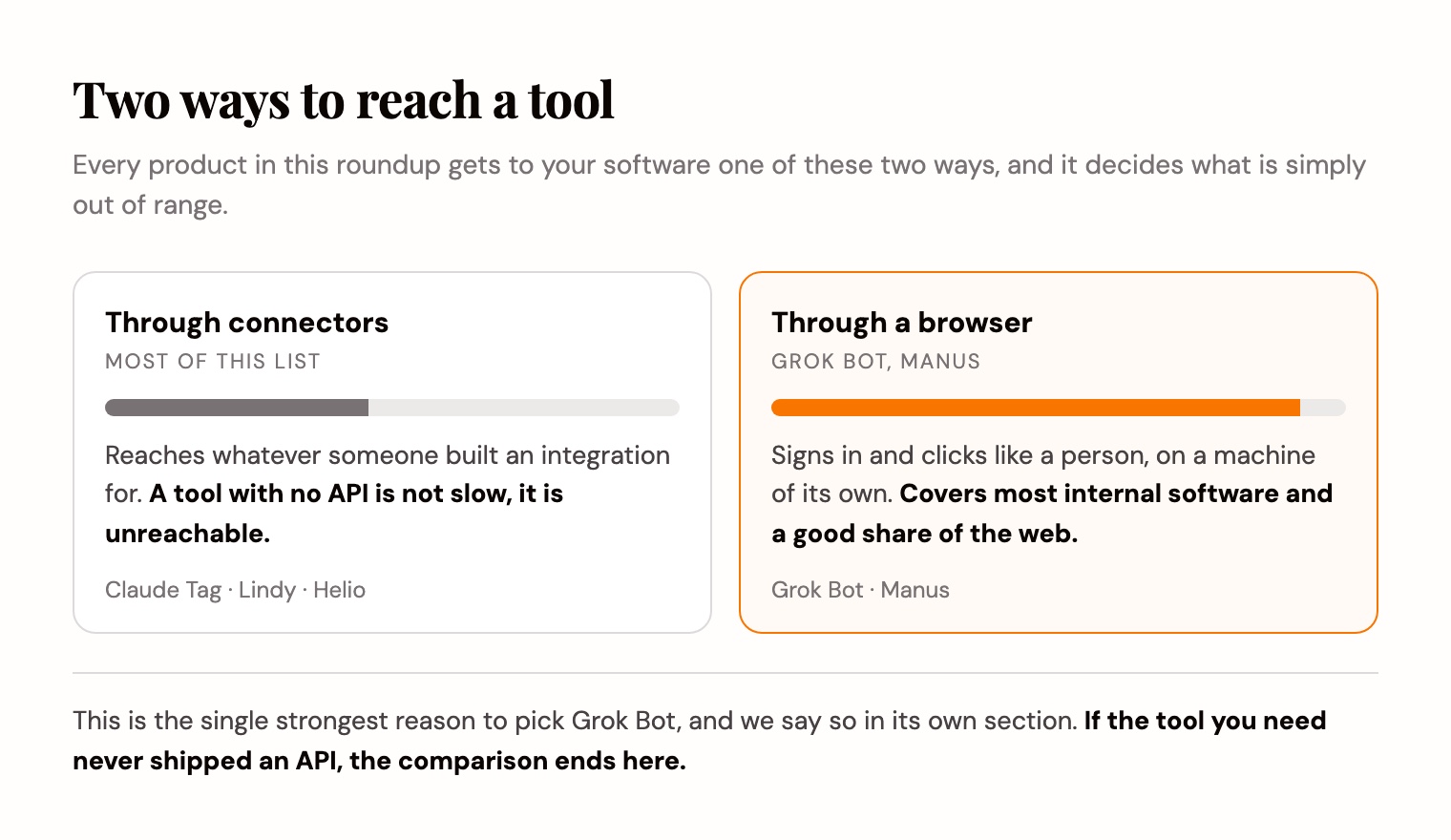
Every member gets one persistent cloud Linux machine with a browser, filesystem and terminal, shared by all of that member's Bots. That machine is what lets a Bot use apps and websites that have no clean API, the same way a person would. It ships as a desktop app for macOS and Windows, plus iOS, and xAI's own docs say the Bots are best given a repeatable outcome rather than a loose category of questions.
- Named Bots that persist, one job each, rather than one catch-all assistant.
- A cloud computer per member, shared across that member's Bots.
- It can drive tools that have no API, plus connectors and MCP where those exist.
- Routines it learns by watching: walk a path once, and it can re-run that path on a schedule.
- Explicit boundaries, so anything consequential stops and waits for you.
What Grok Bot does that nothing else here matches
Two things, and both are real.
The first is the computer — not the browser itself, which Manus, Viktor and Lindy also bring in different shapes, but a dedicated machine that stays on. Files, sign-in sessions and preferences accumulate on it between runs, shared by all of that member's Bots, so work in tools that never shipped an API gets easier every week instead of starting over.
The second is learning by demonstration. You walk a Bot through a multi-step path once, and it keeps that path as a routine it can re-run. Everything else on this list, ours included, asks you to describe the job in words instead.
If either of those is the reason you are evaluating Grok Bot, the rest of this article will not talk you out of it, and should not.
Why people look for an alternative anyway
None of these are complaints about how well it works.
- It is gated behind SuperGrok Heavy, Cursor Ultra, or Cursor Teams Premium, and signs in with a Cursor account, which means signing up with a second vendor before you start.
- Its clients are desktop apps for macOS and Windows plus an iOS app. There is no Linux desktop build.
- The computer, the files and the sign-in sessions belong to a member, not to a team. Your Bots are yours.
- It needs cloud data storage, so accounts on Legacy Privacy Mode have to move before it will start.
- It is new. Almost nobody outside xAI has written about it yet, which cuts both ways when you are trying to judge it.
The question that sorts this list
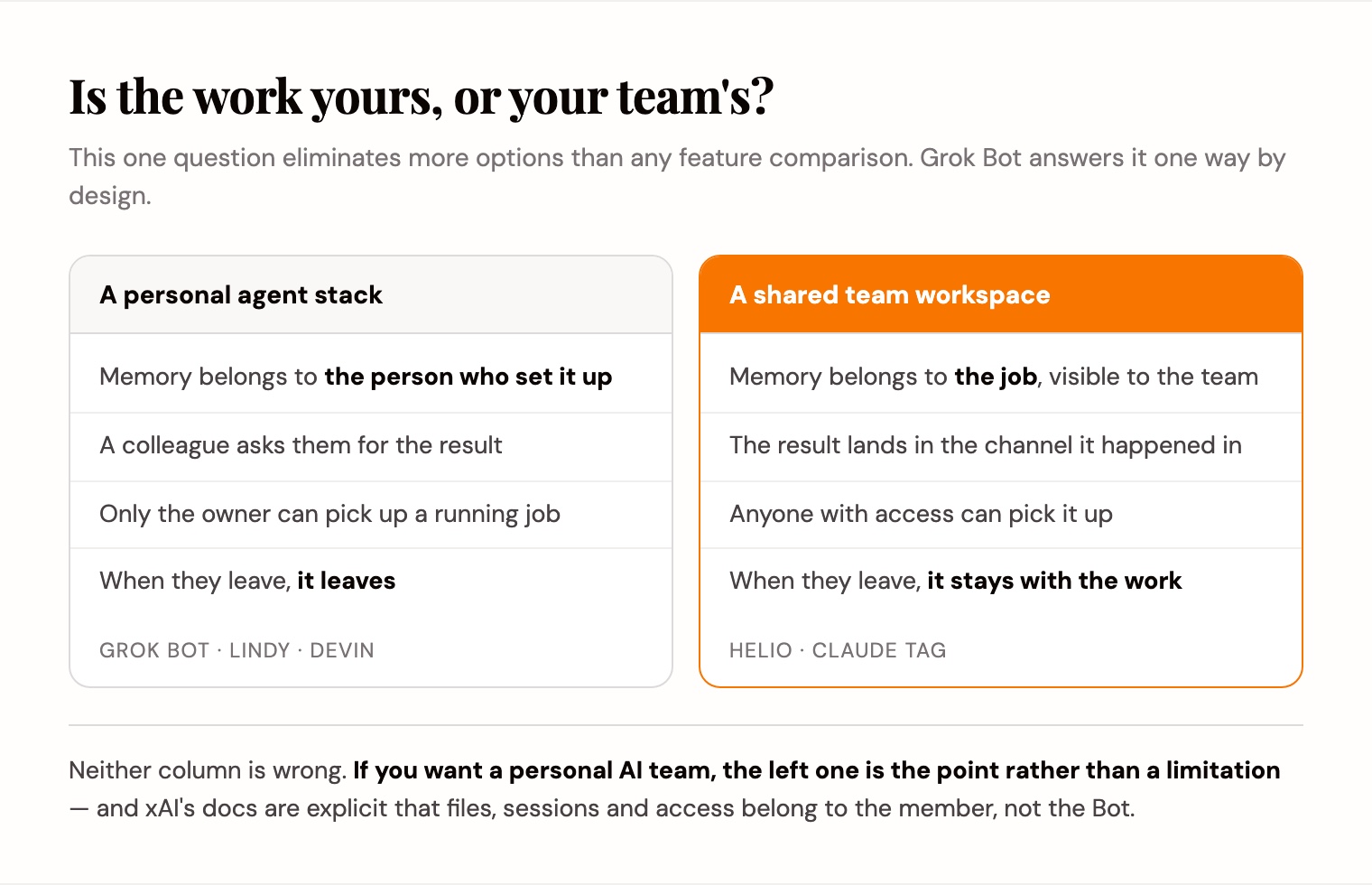
Most write-ups in this category argue about what each tool can do. That is the wrong axis, because these are not the same shape.
Ask instead: who is the work for?
A personal agent stack gives one person leverage. The computer, the sessions and the memory sit with that person, and each colleague gets their own. A shared workspace puts people and AI teammates in the same rooms with the same history, so the work does not belong to whoever happened to set it up.
Grok Bot is firmly the first. Its own docs say plainly that files, sign-in sessions and access rights belong to the member, not the Bot. That is a coherent design. If you want a personal AI team, it is the point rather than a flaw.
| Personal agent stack | Shared team workspace | |
|---|---|---|
| Who the memory belongs to | The person who set it up | The job, visible to the team |
| What happens when they leave | It leaves with them | It stays with the work |
| Where a colleague sees the work | They ask | The channel it happened in |
| Who can pick up a running job | The owner | Anyone with access |
| Examples | Grok Bot, Lindy, Devin | Helio, Claude Tag |
Grok Bot alternatives at a glance
Seven options, by the job each does best.
| Tool | Best for | Shape |
|---|---|---|
| Helio | Recurring work that needs a long-term owner, shared with a team | Team workspace, plus Slack |
| Claude Tag | Tagging an agent in the Slack channel you already run | Agent inside Slack |
| Manus | One-shot autonomous tasks with a browser operator | Cloud sandbox agent |
| Viktor | Widest tool reach from a chat message | AI employee in Slack and Teams |
| Devin | Autonomous software engineering | Engineering agent |
| Lindy | Personal delegation across inbox and calendar | Personal assistant |
| OpenClaw | Running the whole thing on your own hardware | Open source, self-hosted |
1. Helio
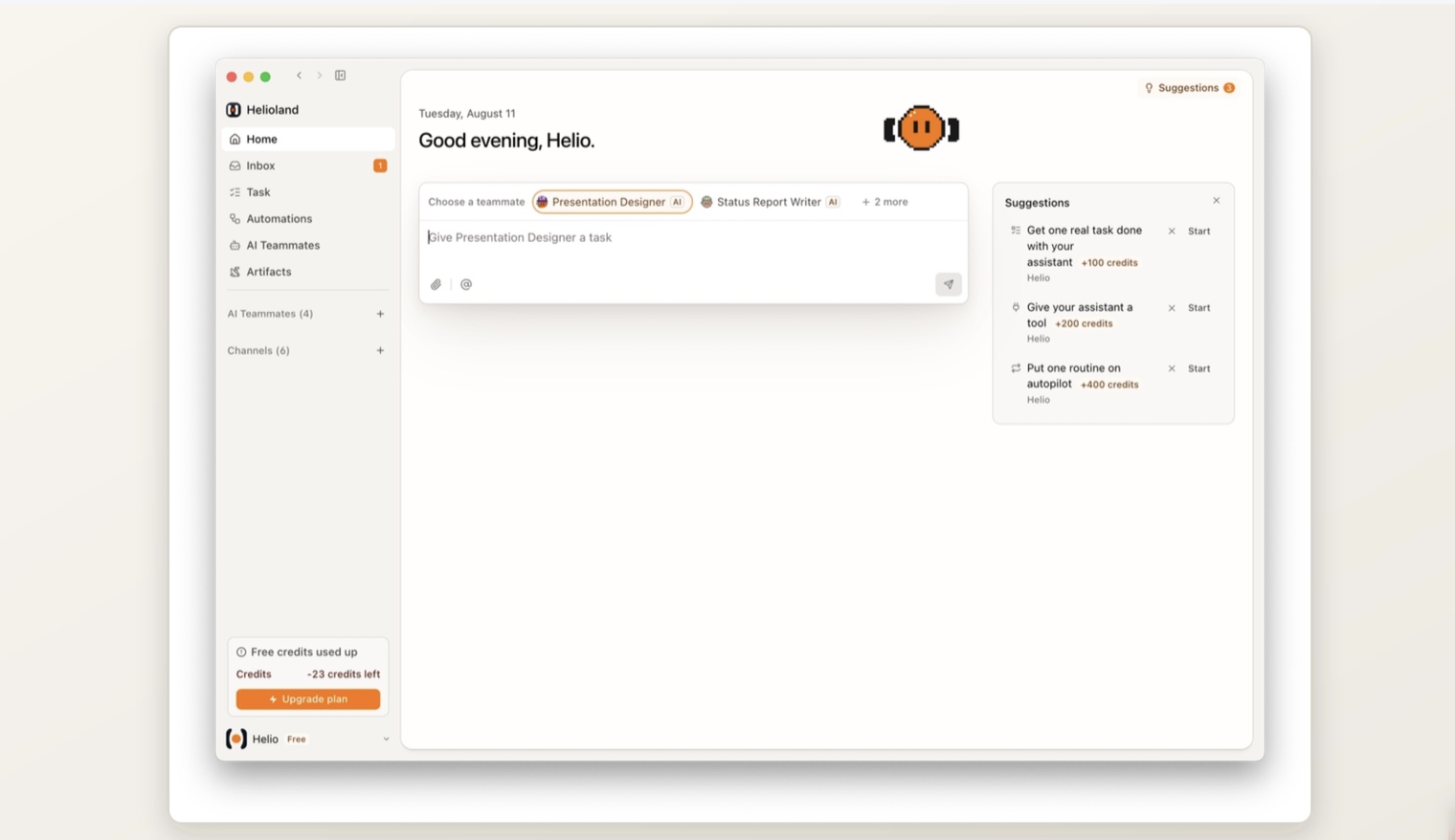
This one is ours, so weigh it accordingly. Helio is a workspace where AI teammates own recurring work: you give one a name, a role, and a job that comes back, and it picks that job up on its own schedule and delivers the result. It runs in Slack as well as its own channels.
It is the closest match to Grok Bot on intent and the furthest on scope. Both give AI teammates names, one job each, memory that persists, and a gate before anything consequential. The difference is who the work belongs to.
In Helio a recurring job has an owner, and that ownership sits in a workspace your colleagues are in. You invite people by email, and people and AI teammates share the same channels and the same history. When a teammate delivers the weekly report, it lands where the team already looks rather than on one person's machine.
It also runs in Slack, with each teammate getting its own dedicated Slack app rather than one shared bot identity, so the log names the teammate that did the work.
- Best for: work that repeats, that more than one person needs to see.
- Memory attaches to the job, so week 2 opens with what changed in week 1.
- Runs in Slack and in its own workspace, on macOS, Windows and the web.
- Limits: no persistent cloud computer of its own — a teammate can drive your paired Chrome browser, but not a machine that is always on — and no learning by demonstration. Grok Bot beats us on both.
- Pricing: free to start with 1,000 credits and no card, then $16/mo billed annually. Every tier is on the pricing page.
2. Claude Tag
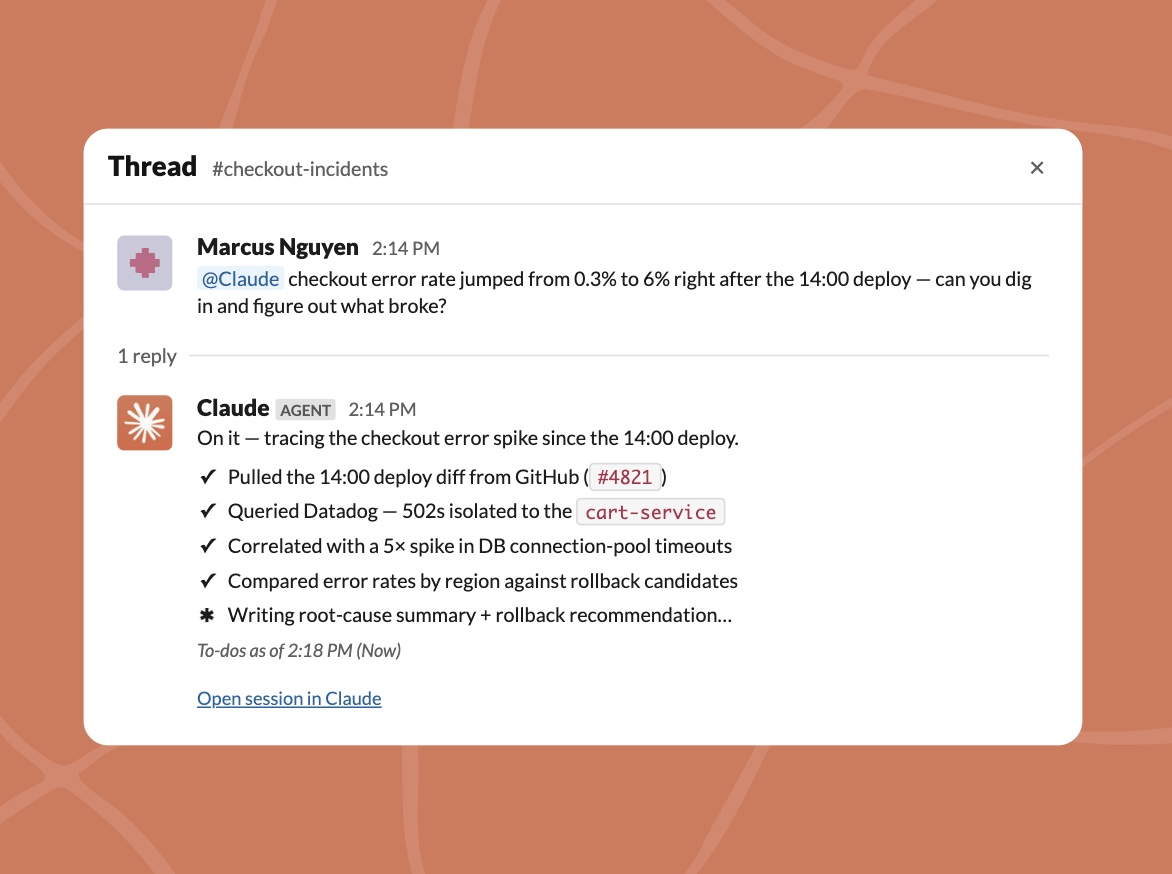
Anthropic's @Claude living inside a Slack channel. You tag it, hand it a task, and it works asynchronously and posts the result back to the thread.
It is the other product in this category that lives where a team already talks rather than on one person's desktop, which makes it the closest thing to a shared-scope alternative. The trade is reach: it launched with roughly 14 connectors, it is Slack only, and it is gated to Claude Enterprise and Team plans with no published usage rate.
We went through it properly in Claude Tag alternatives and what it costs.
- Best for: teams already standardized on Slack and Anthropic.
- Limits: Slack only, memory scoped to admin-defined channels, no published usage rate.
3. Manus
The closest match to Grok Bot's computer. Manus plans and executes in a cloud sandbox and hands back a finished result, and its browser operator acts inside your own logged-in session, which covers the same no-API gap.
Where it differs is the unit of persistence. Manus has scheduled tasks, reusable projects and cloud sessions, but no named teammate that owns a job and compounds context around it — each task is still a run you define rather than a colleague you brief. If what you liked about Grok Bot was the machine rather than the named teammate, Manus is the closer swap. We compared it in detail in Manus alternatives.
- Best for: one-shot autonomous tasks that need a real browser.
- Limits: task runs rather than a named teammate, and credit-based billing that is hard to predict.
4. Viktor
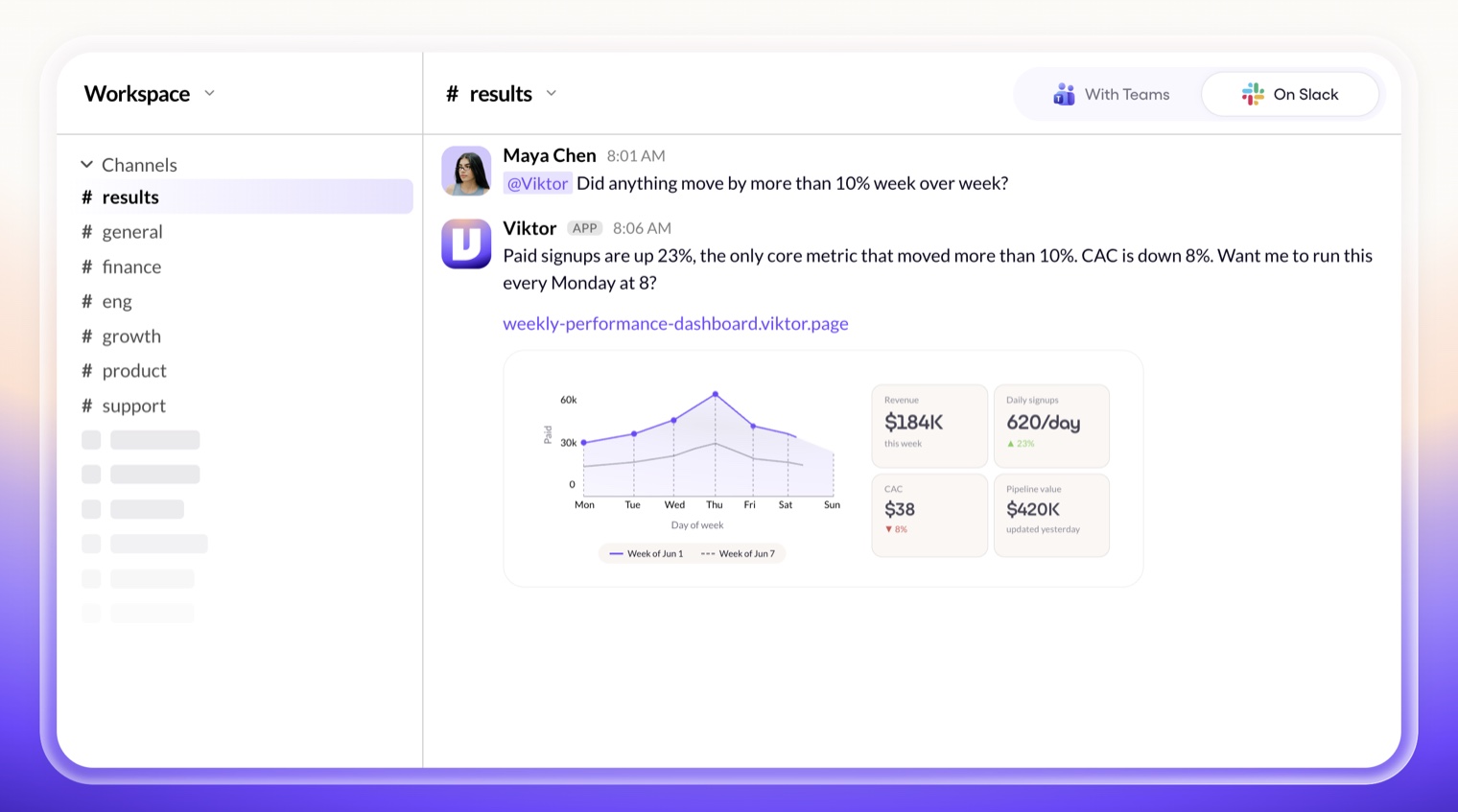
An AI employee that lives in Slack and Microsoft Teams, claiming 3,200+ connected tools, model choice per task, scheduled jobs, browser automation and finished deliverables posted back to the channel.
If breadth of reach is the binding constraint, Viktor covers more ground than anything else here, and its browser automation reaches tools without an API too. What it does not have is Grok Bot's per-member persistent computer, where files and sign-in sessions compound between runs. It is also the only option on this list besides Copilot that works in Microsoft Teams.
- Best for: the widest tool coverage from a chat message.
- Limits: it cannot join a live call, and there is no per-member persistent machine where sessions compound between runs.
5. Devin
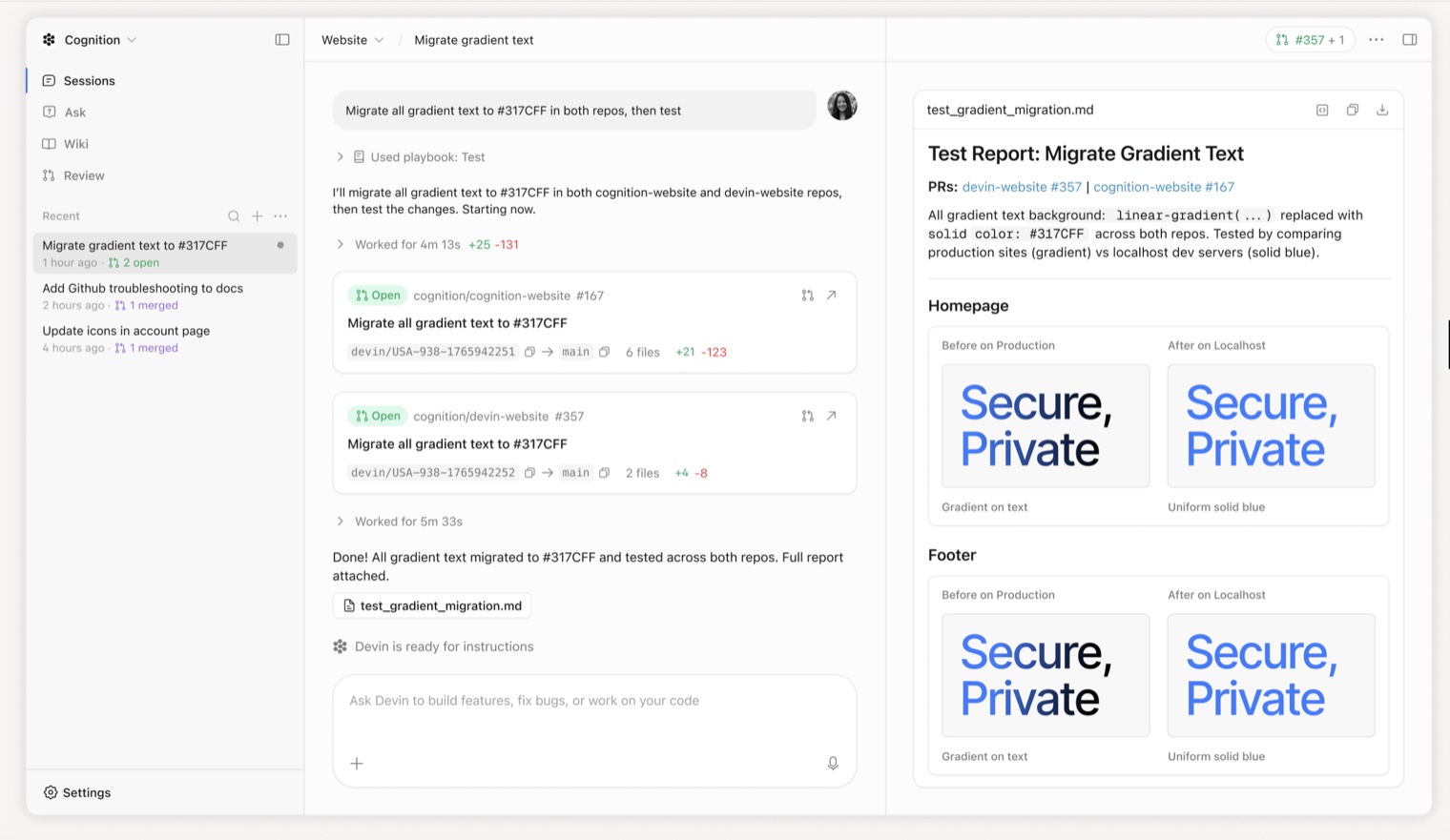
An autonomous software engineer rather than a general teammate. It plans, writes, tests and ships code with its own environment, and for engineering work it goes deeper than a generalist Bot with a terminal.
If the Grok Bot job you had in mind was engineering, this is the specialist. If it was operations, it is the wrong tool and an expensive one.
- Best for: autonomous engineering work inside a repository.
- Limits: narrow by design, and priced the way engineering tools are priced.
6. Lindy
A personal assistant rather than a team member: inbox triage, meeting prep, calendar, follow-ups, with a large integration catalog and per-agent configuration.
It shares Grok Bot's personal scope, which makes it a like-for-like swap if you were never going to share the Bots anyway. It lists computer use among its features, but there is no per-member persistent machine, so files and sign-in sessions do not compound between runs the way Grok Bot's do.
- Best for: one person delegating email, meetings and follow-ups.
- Limits: credit pricing climbs on complex workflows, and you configure each agent yourself.
- Pricing: 7-day trial, then $29.99, $99.99 and $199.99 per month.
7. OpenClaw and self-hosted agents
The answer when the blocking objection is that Grok Bot requires cloud data storage and a second vendor account. Open-source agent runtimes run on your own hardware with your own keys, including local models.
You own the setup and every outage, there is no SLA, and the UX lags managed products by a wide margin. For a team with the engineers and a hard rule that data stays put, that trade is worth making. If you are hesitating about whether you have those engineers, you do not.
- Best for: hard requirements that data and inference stay on your hardware.
- Limits: you are the support team.
- Pricing: free, minus engineering time.
When Grok Bot is the right answer
We would rather you buy the correct thing.
- You need work finished in tools that have no API, and a browser session is the only way in.
- You would rather demonstrate a workflow once than describe it in writing.
- You are already paying for SuperGrok Heavy, Cursor Ultra, or Cursor Teams Premium, so it costs nothing new to try.
- The work is genuinely yours rather than the team's, and nobody else needs to pick it up.
- You are on macOS, Windows or iOS. Linux desktops have no client.
How to choose
Four questions, in the order that eliminates the most options.
- Does the work need a real computer, or just connected tools? A persistent machine of the product's own narrows this to Grok Bot; a browser in the loop also brings in Manus, Viktor and Lindy.
- Is the work one person's or the team's? Personal points at Grok Bot, Lindy or Devin. Shared points at Helio or Claude Tag.
- Does it repeat? A single run suits a task agent. Every Monday needs an owner, which is the case we build for.
- Who is blocking the purchase? If it is security, self-hosting is the only answer that clears the room.
The one-line version
Grok Bot is a good product built around one person. It gives that person named teammates, a machine of their own, and routines learned by watching. If that is the shape of your problem, buy it.
The question worth asking first is whether the work you have in mind is yours or your team's. If it is the team's, and it comes back every week, you want the memory attached to the job rather than to whoever set it up.
That is what Helio does. A recurring job gets a named AI teammate that owns it, keeps context across every run, sits in a workspace your colleagues are in, and delivers the weekly result without being restarted. It is free to start with 1,000 credits and no card, so one recurring job is enough to tell whether the difference is real for you.
Frequently asked questions
What is Grok Bot?
Grok Bot is xAI's named-agent product. You create Bots, each with a name, one primary job, and a description of how it should work. Each member gets a persistent cloud Linux machine with a browser, filesystem and terminal that all of their Bots share, so a Bot can drive apps and websites that have no API.
What is the best Grok Bot alternative?
It depends on which part you wanted. For a shared team workspace where recurring work has an owner, Helio. For an agent in the Slack channel you already run, Claude Tag. For one-shot autonomous tasks with a browser, Manus. For the widest tool reach, Viktor. For self-hosting, an open-source runtime.
Is there a free Grok Bot alternative?
Yes. Open-source agent runtimes are free to self-host. Helio starts free with 1,000 credits and no card required. Grok Bot itself requires SuperGrok Heavy, Cursor Ultra, or Cursor Teams Premium.
Does Grok Bot work on Linux?
Not as a desktop app. Grok Bot ships for macOS and Windows, plus iOS. The Bots themselves run on a managed Linux virtual machine in the cloud, but there is no Linux client: the apps are macOS, Windows and iOS.
Can a team share Grok Bots?
Each member gets their own cloud computer, and xAI's documentation is explicit that files, sign-in sessions and permissions belong to the member rather than to an individual Bot. Bots can work together inside one member's scope. If you want the work itself to live somewhere the whole team can see and pick up, that is a different shape of product.
Which alternative handles work that repeats every week?
That is the specific gap most of these leave. Helio assigns a recurring job to an AI teammate that keeps memory attached to the job, runs on its own schedule and delivers into a workspace the team shares. Grok Bot can re-run a learned routine on a schedule too, but the result lands in one member's environment rather than the team's.